






Love what you are seeing?
We have created several courses where we dive more into the technical aspects. So, if you like what you read here, you'll love our courses!!





By:
Greg Jenkins
|
February 9, 2026
|
Industry News
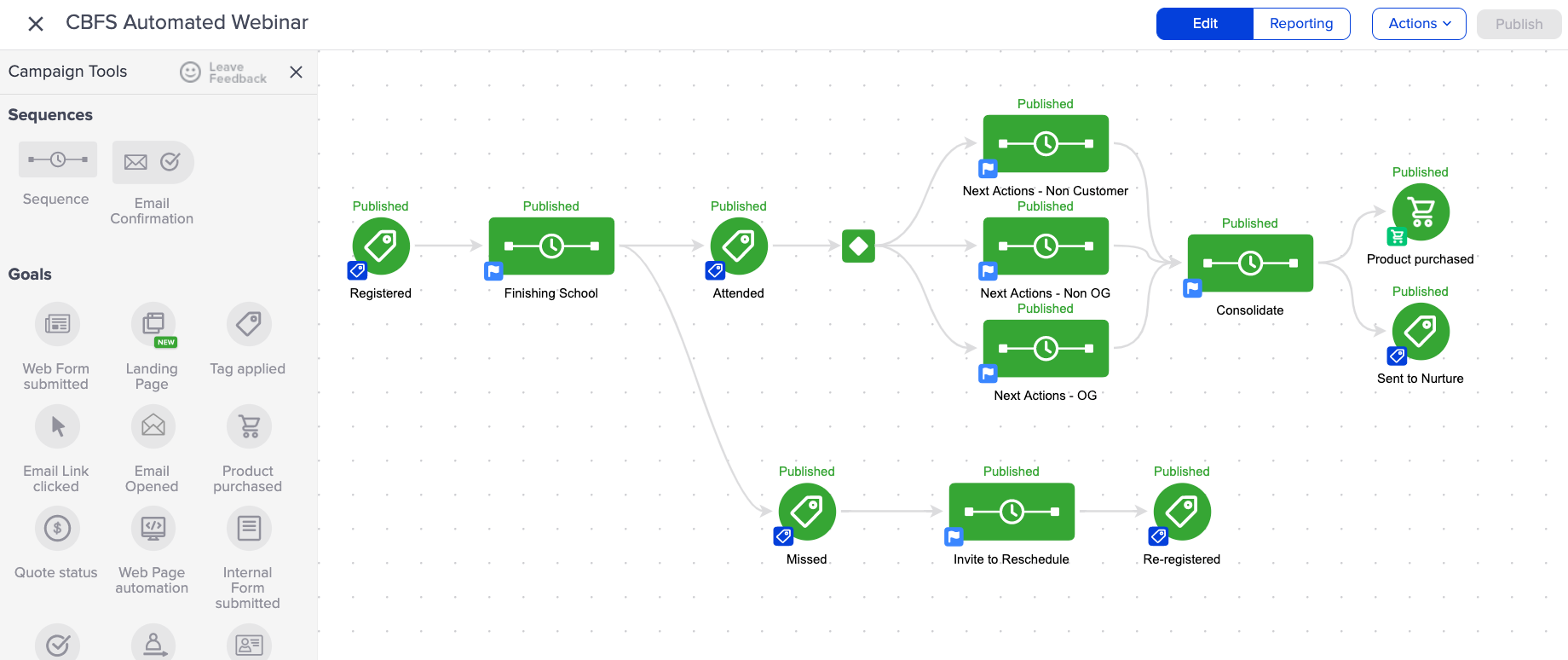
This week Infusionsoft rolled out a brand new look and feel for the campaign builder, and the reviews are relatively varied - some folks seem to dig the new curvy lines, while others find the published green to be a little...much.
Beyond the line changes, and new colors - the most notable changes are the shift away from a background grid (you'll see a mostly blank canvas with dots to help align and arrange elements), and the addition of "status indicator" text above the icons.
Email Open Goal does just that.
some well documented flaws.
I'll just say this: There are a number of ways to read an email that don't report an open, and a number of ways for an open to be reported without the recipient actually reading the email.
Not at all.
You can totally use it, but I'd be careful about depending on it for absolutely essential parts of your customer journey, because it's far from iron clad.
Enough about that, let's take a look at the next shiny new feature.
Historically you've been able to create orders inside of a sequence by using a legacy Action Set.
In fact, this was the only way to accomplish a "One Click Upsell" without using any third-party tools.
But with this update Infusionsoft also introduced the ability to create an order as a native step in a sequence.
(Shout out to Mallory Balnis of Plum Crazy Automation for helping test this.)
What I really like about this feature is that we have the choice to:
These are options we've had for a while on invoices and quotes we generate manually, but to be able to access them as part of an automated workflow opens up a lot of new possibility.
Not quite - it doesn't look like you can easily adjust the price of the product once it's added - but my hope is that they'll add some additional options and flexibility in a future update.
Candidly, I don't really care about the new look and feel - what I am excited about is the focus on enhancing and improving the campaign builder.
Yes, the new features - both the email open goal and create order widget give us the ability to build automation that wasn't previously as accessible.
But beyond that - I'm stoked about the improved performance and reliability. The reduced visual complexity of the new interface has had a positive impact on speed and usability in building and reporting on campaigns.
If I missed anything, leave it in the comments below - otherwise, check out the complete release notes here.
We have created several courses where we dive more into the technical aspects. So, if you like what you read here, you'll love our courses!!